
Best AR Gaming Glasses in 2026: ROG Xreal R1 vs. VITURE Beast vs. RayNeo Air 4 Pro
On This Page
AR gaming glasses stopped being a CES demo-booth gimmick this year. Three real, shippable releases are driving that shift — the ROG Xreal R1, the VITURE Beast, and the RayNeo Air 4 Pro — and they’re three genuinely different takes on the same pitch: a private, massive virtual screen that folds into a glasses case. We pulled together the actual specs, early hands-on coverage, and pricing to help you figure out which pair of AR gaming glasses is actually worth your money right now.
A quick honesty note before we dive in: most of this hardware shipped within the last few weeks, so this is a specs-and-early-reviews comparison, not a long-term hands-on test. If you’re on the fence, it’s worth waiting for a few more weeks of independent testing — especially around battery life and comfort over long sessions, which spec sheets never tell the full story on.
What AR Gaming Glasses Actually Do
Unlike bulky VR headsets, AR gaming glasses use tiny Micro-OLED panels to project a large virtual screen a few feet in front of your eyes. Plug them into your phone, handheld, console, or laptop over USB-C, and they act like an external monitor — except the “monitor” is invisible to everyone except you. No headset bulk, no room-scale tracking, just a private giant screen that fits in a glasses case.
Quick Comparison
| ROG Xreal R1 | VITURE Beast | RayNeo Air 4 Pro | |
|---|---|---|---|
| Price | $849 | $549 | $299 |
| Display | Dual 1920×1080 Micro-OLED | 1200p Sony Micro-OLED | HDR10 panel |
| Brightness | Not officially rated | 1,250 nits | 1,200 nits |
| Refresh rate | 240Hz (via Frame Rate Boost) | 120Hz | Standard |
| Field of view | 57° | 58° | Not officially rated |
| Virtual screen | 171″ at 4m | 174″ at 4m | Not officially rated |
| Audio | Bose-tuned | HARMAN AudioEFX | Bang & Olufsen |
| Weight | ~87g | 88g | 76g |
| Best for | Esports / ROG ecosystem | Best all-around pick | Budget entry point |
ROG Xreal R1 — Built for Esports, Priced Like It
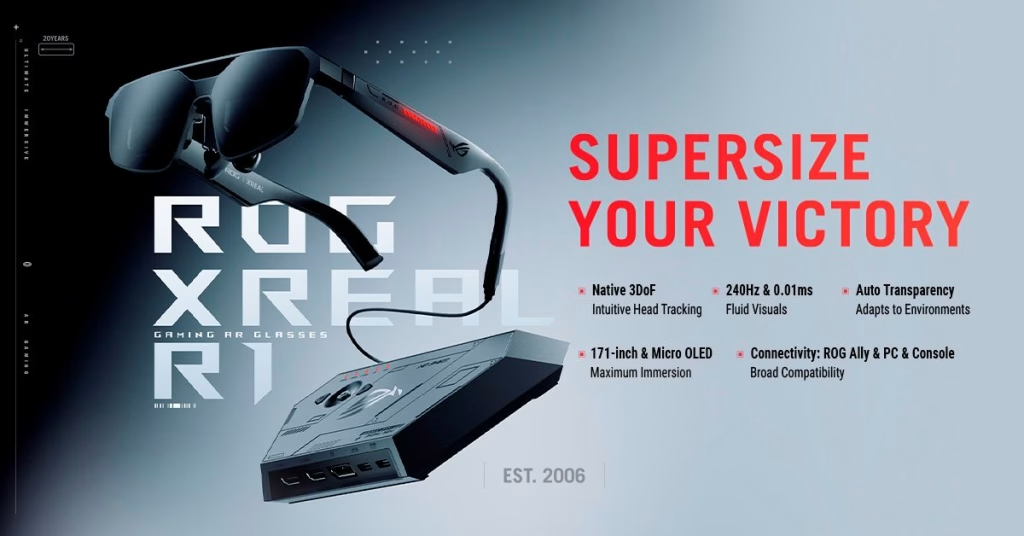
Image: ASUS Pressroom
The R1 is ASUS ROG and Xreal’s joint shot at competitive gamers, and the headline number is 240Hz — the highest refresh rate any AR glasses have hit so far. Worth understanding before you buy on that spec alone: the 240Hz figure comes from a “Frame Rate Boost” mode that upscales from a lower native resolution to hit the higher refresh. Motion clarity genuinely improves in fast-paced games, but fine detail and text readability take a measurable hit in that mode.
The R1 is also built around ASUS’s ACSE ecosystem — full functionality is really designed around ROG Ally and other ACSE-compatible devices. Connect it to something outside that ecosystem and you’re mostly getting a more expensive version of the Xreal One Pro. At $849, this is the glasses to buy if you’re already deep in the ROG/ASUS ecosystem and want the fastest refresh rate available. For most other gamers, the price-to-benefit math is tougher to justify.
VITURE Beast — The One Reviewers Keep Picking

Image: Viture Beast
The Beast has quietly become the consensus pick among early reviewers, landing IGN’s first-ever Editor’s Choice in the XR category alongside similar picks from CNET, Tom’s Guide, and PCMag. The specs back it up: a 1200p Sony Micro-OLED panel at 1,250 nits, a 174-inch virtual screen, and a 58° field of view — all genuinely competitive numbers without the upscaling caveat that comes with the R1’s 240Hz claim.
What sets it apart functionally is the software and accessory ecosystem built specifically for gaming: a Switch 2-compatible dock, purpose-built mobile controllers, on-device AI 2D-to-3D conversion, and Moonlight wireless PC streaming support. At $549 — exactly $300 less than the Xreal R1 — it’s the strongest all-around pick for most gamers who want one pair of AR glasses that handles handheld, console, and PC duty well.
RayNeo Air 4 Pro — The Budget Way In
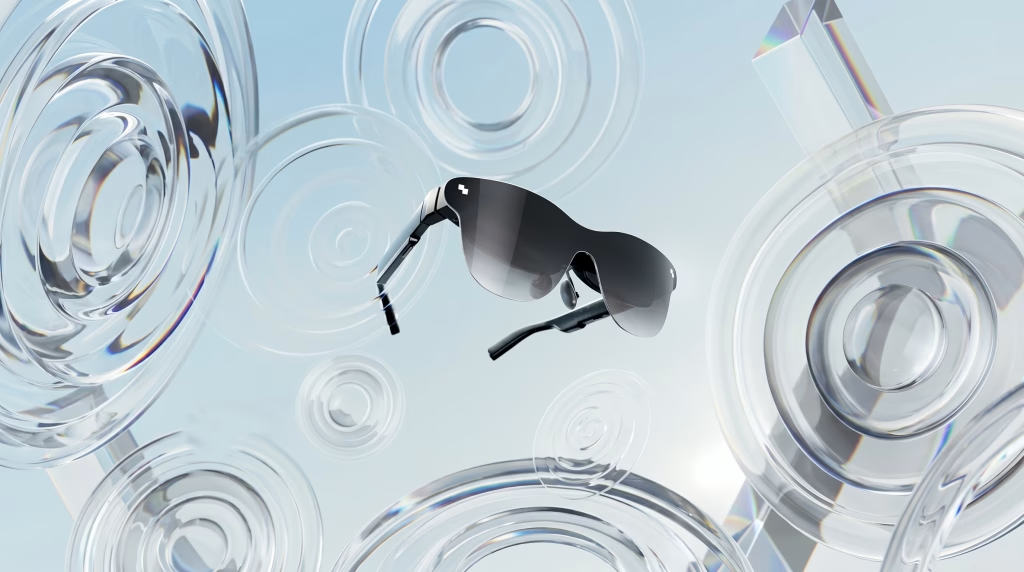
Image: Rayneo
At $299, the Air 4 Pro is roughly a third the price of the Xreal R1, and it doesn’t try to compete on refresh rate or ecosystem lock-in — it just delivers solid HDR10 visuals at 1,200 nits with Bang & Olufsen-tuned audio, in the lightest frame of the three at 76g. If you’re AR-curious but not ready to commit $500+ to a category that’s still proving itself, this is the sensible entry point. You won’t get the Beast’s software polish or the R1’s refresh-rate ceiling, but you also won’t feel the loss as much in casual handheld or mobile gaming sessions.
Which AR Gaming Glasses Should You Actually Buy?
- Deep in the ROG/ASUS ecosystem and want the highest refresh number on paper: ROG Xreal R1, with eyes open about the Frame Rate Boost trade-off.
- Want the single best all-around gaming experience right now: VITURE Beast — it’s the reviewers’ consensus pick for a reason.
- AR-curious but don’t want to spend $500+ on an unproven category: RayNeo Air 4 Pro is the low-risk way to find out if AR gaming glasses fit how you actually play.
Whichever you pick, this is genuinely new hardware in a fast-moving category — firmware updates and follow-up reviews are still rolling in weekly. If you can wait a month, you’ll be buying with a lot more real-world data behind you.
FAQs
Are AR gaming glasses actually worth it in 2026? For handheld gamers — Steam Deck, ROG Ally, Switch 2 owners — yes, since AR glasses solve the small built-in screen problem directly. If you already game on a good monitor or TV, treat AR glasses as a luxury upgrade rather than a necessity.
Do AR gaming glasses work with Steam Deck and Switch 2? Yes. Most current models connect over USB-C with DisplayPort Alt Mode and function as an external display. The VITURE Beast specifically ships with a Switch 2-compatible dock.
Is the 240Hz on the ROG Xreal R1 real 240Hz? It’s a real refresh rate, but it’s reached through an upscaling mode from a lower native resolution rather than a native 240Hz panel — worth knowing if you’re buying for that number specifically.
Can I wear AR gaming glasses over my prescription glasses? It varies by model — some offer prescription lens inserts, others don’t comfortably fit over existing glasses. Check each manufacturer’s compatibility page before buying if you wear prescription lenses.