5 Ultimate Prime Video Streaming Hacks for an Amazing Experience
On This Page
We’ve all been there, right? Settling in after a long day, remote in hand, ready to dive into the latest binge-worthy series on Amazon Prime Video. But then, it happens. That dreaded buffering wheel, the pixelated mess, or the struggle to find that one obscure fact about the actor on screen. It pulls you right out of the moment, doesn’t it? As someone who lives and breathes tech, I know the magic of a seamless digital escape. And let me tell you, your Amazon Prime Video streaming experience doesn’t have to be anything less than spectacular. Forget frustration; it’s time to unlock the full potential of your subscription. I’ve scoured the depths, experimented, and found 5 ultimate hacks that will transform your Prime Video streaming from ‘meh’ to ‘marvelous’. Get ready to upgrade your viewing pleasure!
Optimize Playback Settings for Crystal Clear Prime Video Streaming
Imagine this: you’re engrossed in a breathtaking landscape shot, only for it to dissolve into a blocky, pixelated mess. Heartbreaking, isn’t it? Many of us rely on the “Auto” quality setting for our Prime Video streaming, assuming it’s smart enough to know what’s best. But here’s the secret: sometimes, it needs a little nudge. Buried within the playback settings (often accessible by clicking the gear icon during playback on desktop or through the settings menu on mobile/smart TVs) are options to manually select your streaming quality. On a robust home internet connection, set it to “Best” or “Highest” to ensure you’re getting every glorious pixel and crisp detail the filmmakers intended. If you’re on the go, using mobile data, or experiencing inconsistent Wi-Fi, opting for “Good” or “Standard” can significantly reduce buffering and conserve your data plan. This small tweak can dramatically improve the fluidity of your Prime Video streaming, making every moment sharper, smoother, and infinitely more enjoyable. Don’t let your internet connection dictate your visual experience; take control and fine-tune it for perfection.
Master the X-Ray Feature for Deeper Prime Video Streaming Immersion
Ever found yourself watching a show, thinking, “Where do I know that actor from?” or “What’s that amazing song playing right now?” Amazon’s X-Ray feature is an absolute game-changer for Prime Video streaming, turning you into an instant expert without ever leaving the screen. Simply pause the show or tap your screen (on mobile/Fire TV) and a wealth of contextual information instantly appears. You’ll see the actors in the current scene, their filmographies, character bios, trivia about the production, and even the song titles and artists from the soundtrack. It’s like IMDb, Shazam, and Wikipedia all rolled into one, seamlessly integrated into your viewing. This isn’t just a gimmick; it’s a powerful tool for deeper immersion, allowing you to connect with the content on a whole new level. Discover new artists, learn fascinating behind-the-scenes facts, or just satisfy that nagging “who’s that?” question immediately. It transforms passive watching into an active, enriching Prime Video streaming experience. Learn more about how to use X-Ray directly from Amazon’s official help page.
Download & Go! Offline Prime Video Streaming Freedom
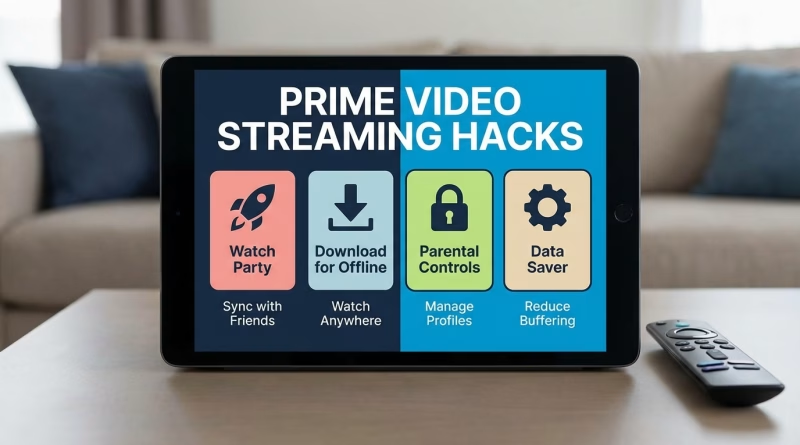
The modern world moves fast, and our entertainment needs to keep up. Whether you’re on a long commute, traveling somewhere with dodgy Wi-Fi, or simply trying to save precious mobile data, the ability to download content for offline Prime Video streaming is a liberation you absolutely need to leverage. The Prime Video app for iOS and Android allows you to download thousands of movies and TV show episodes directly to your device. Just look for the download icon (usually a downward arrow) next to the title or episode you want. You can even choose the download quality to manage storage space on your device. Imagine boarding a flight, knowing your entire season of a favorite show is ready to go, no internet required. No more struggling with airplane Wi-Fi or data caps! This hack is about empowering your entertainment, giving you control over when and where you enjoy your content. It’s a simple yet profound way to make your Prime Video streaming truly boundless, ensuring your stories are always ready, wherever life takes you.
Create Watchlists & Profiles for Personalized Viewing Journeys
If your Amazon Prime Video homepage feels like a chaotic jumble of genres and recommendations, it’s time to get organized. The power of personalized profiles and meticulously curated watchlists is often overlooked, but it’s essential for a superior Prime Video streaming experience. Create individual profiles for each family member – one for you, one for your partner, a kid’s profile with age-appropriate content (complete with parental controls, a sanity-saver!), and even a guest profile. This ensures everyone gets tailored recommendations that actually match their tastes, ending the endless scrolling debates. Beyond profiles, take advantage of the Watchlist feature. Don’t just add everything; create themed watchlists: “Weekend Thrillers,” “Documentaries to Inspire,” or “Classics I Need to Revisit.” This proactive organization streamlines your decision-making and ensures you always have something exciting lined up. It’s about creating an intuitive, personalized hub for your Prime Video streaming, making every viewing session feel like it was made just for you.
Leverage Keyboard Shortcuts & Voice Commands for Seamless Prime Video Streaming Control
Sometimes, the smallest conveniences make the biggest difference in elevating your tech experience. For desktop users, did you know Prime Video streaming supports a range of keyboard shortcuts? Forget fumbling for your mouse; a simple tap can transform your control. The spacebar typically pauses/plays, ‘M’ mutes, ‘F’ toggles fullscreen, and the left/right arrow keys often skip forward or backward by a few seconds. These aren’t just for power users; they create a more fluid, intuitive interaction with your content. For those with Fire TV Sticks or Alexa-enabled devices, voice commands are your silent superpower. Say “Alexa, play [show name] on Prime Video,” or “Alexa, pause,” “fast forward 30 seconds,” or “turn on subtitles.” It’s an effortless way to command your entertainment, freeing your hands and letting you stay immersed in the story. Integrating these smart controls into your routine makes Prime Video streaming feel more advanced, responsive, and truly at your fingertips, reducing friction and enhancing your overall enjoyment.
What’s Your Next Amazon Prime Video Adventure?
And there you have it, fellow stream-enthusiasts! Five potent, often overlooked, hacks to supercharge your Amazon Prime Video streaming. These aren’t just technical tricks; they’re pathways to a more enjoyable, less frustrating, and deeply personalized entertainment experience. From crisp visuals to intelligent features and seamless control, each hack is designed to put you, the viewer, firmly in the driver’s seat. No more battling with buffering, no more endless scrolling for something to watch, and no more wondering who that actor is. Your Prime Video streaming can, and should, be an absolute delight every single time you press play. So, go forth, experiment, and transform your viewing habits. Which hack will you try first to make your next Prime Video adventure truly amazing?